Best Removals Software UK: What Small Removal Companies Should Look For
If you are comparing removals software, focus on the workflow that helps you win more booked jobs, not just the feature list. This guide gives you the comparison criteria first, and shows where Move and Store fits honestly.
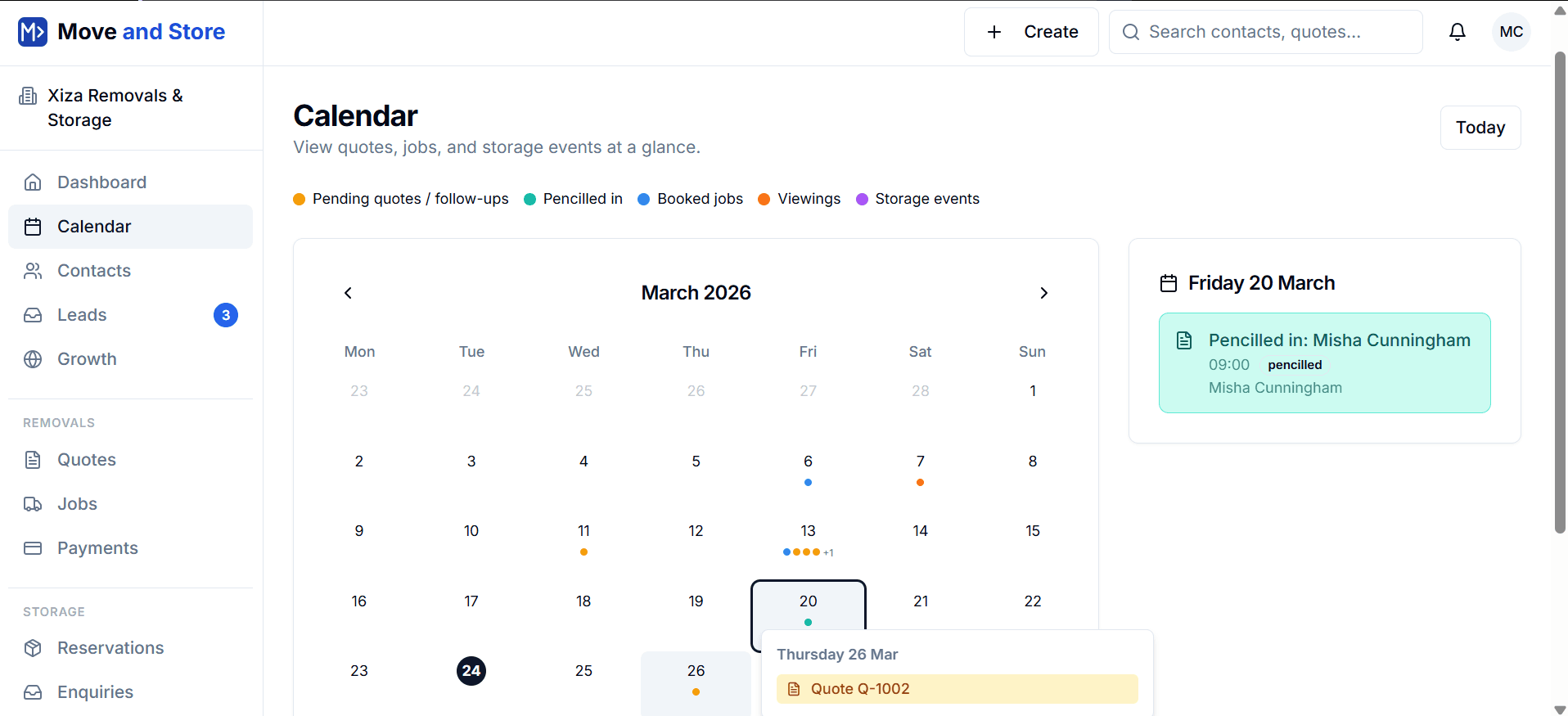
Judge software on the week it gives you
The right system shows the whole week: quotes, jobs, viewings and follow-up moments in one view, so the diary stays under control.
What smaller removal companies should compare first
Compare the workflow, not the marketing. These five areas decide whether software actually helps a small removals business win and manage work.
Quoting
How quickly can the system turn an enquiry into a clear, professional quote the customer can accept?
Lead tracking
Can you see every enquiry, its stage and its next action, or does the pipeline live in inboxes and memory?
Deposit flow
Can the customer move from reviewed quote to paid deposit without a separate payment chase?
Booking process
What actually happens when the customer says yes, and how cleanly does the booking reach the diary and the crew?
Admin control
How much of the day-to-day admin does the system absorb, and how much of it lands back on the owner's desk?
Common software buying mistakes
Most buying regrets do not come from picking the wrong brand. They come from buying against the shape of the business.
- Overbuying for the size of the business. Enterprise setups bring structure, but they also bring cost and complexity that a smaller team pays for without using.
- Choosing the longest feature list. Features only earn their keep when the team uses them. The list that matters is the one attached to your actual workflow.
- Ignoring the customer's experience. The customer sees your quote page, not your back office. A tool that makes their side clunky costs you work no matter how good the admin looks.
- Buying something the team will not use. Adoption decides the outcome. If quoting still happens by text message a month after signing up, the software is not the fix yet.
What actually matters in day-to-day operations
Strip the feature list away and four things decide whether software earns its place in a small removals firm.
- Speed. Enquiries answered and quoted quickly stay warm. Slow replies hand the job to whoever answered first.
- Visibility. Everyone can see what is quoted, what is booked and what needs attention, without asking the one person who knows.
- Professionalism. Branded quotes and clear next steps make a smaller firm look established to the customer comparing options.
- Simplicity. The system should be light enough that the owner still has evenings. Software that needs constant feeding becomes another job.
How Move and Store fits smaller operators
A clear position, no cheap shots: Move and Store is built for smaller UK removals operators who want the workflow joined up without enterprise complexity.
- One joined-up workflow for quoting, CRM follow-up, deposits, bookings, jobs and storage, instead of separate tools at each stage.
- A free plan that covers the core workflow, with manual follow-up reminders included and upgrades only when automations and team features are actually needed.
- Plain-English setup aimed at smaller UK operators: no enterprise onboarding project before the first quote goes out.
- The customer-facing side stays professional: branded quote pages, clear pricing, and a deposit step built into the quote.
When another system may be a better fit
Fairness matters in a comparison. Move and Store is not the right answer for every removals business, and pretending otherwise helps nobody.
- Larger fleets with complex subcontractor and multi-depot operations may need heavier logistics tooling.
- Businesses with unusual niche workflows, such as international freight or fine-art handling, may need specialist systems.
- Teams already committed to a specific CRM ecosystem sometimes get more value extending it than replacing it.
Comparison routes worth reading
Work through the comparisons that match where your business is today, from manual spreadsheets to other software platforms.
Still manual
Move and Store vs spreadsheets
Other platforms
Move and Store vs Moverbase
Full list
All Move and Store comparisons
Keep researching
Category context and deeper product pages, so the shortlist is built on workflow rather than branding.
Who this guide is for
- Smaller UK removals operators comparing software options for the first time.
- Owner-led teams outgrowing spreadsheets, inboxes and diary chaos who want buying criteria before a sales conversation.
- Anyone shortlisting tools and wanting to judge each option on quoting, follow-up, deposits and bookings rather than feature count.
Then go one level deeper where it matters: removals quoting software, removals CRM software and removals payments software.
Long read? Send it to yourself to finish later.
Free access, no card required.
The fairest comparison is your own workflow.
Start free and run quoting, follow-up and bookings on real jobs, or start Pro when you want the full workflow live now.
Frequently asked questions
What is the best removals software in the UK?
There is no single best tool for every business. The right choice depends on team size, sales process and workflow. For smaller UK operators, the most useful question is whether the software helps you quote faster, follow up properly and confirm bookings with less admin.
What should a smaller operator prioritise when comparing software?
Prioritise the workflow you run every day: quoting, lead tracking, deposits, booking confirmation and the handover into the live job. A shorter feature list that your team actually uses beats a long one they do not.
Do I need a CRM and a quoting system together?
For most smaller operators they work best together, because the quote is the middle of the sales process rather than the end of it. When quoting and the CRM share one record, follow-up, deposits and booking status stay attached to the same customer instead of scattering across tools.
Is there a free option worth using?
Move and Store has a free plan that covers the core workflow: quoting, CRM, storage and payments. Manual follow-up reminders are included, and operators can upgrade when they are ready for automations and team features.
Compare on workflow, then decide
Ready to judge the workflow on your own business?
Start free and test quoting, follow-up, and booking in your own account. No sales call or credit card is required.